r/vitahacks • • 10h ago

Discussion Bi-Weekly Questions Thread (new edition)

3 Upvotes

Welcome to the r/vitahacks Bi-Weekly Question thread!

Please post all questions here.

!!NEW!! 3.65-3.74 USERS: Use HENlo to install Henkaku WITHOUT PC/Content Manager/PSN account!!!

PSN ACCESS/LOGIN ON VITA MAY REQUIRE ADDITIONAL VERIFICATION, SEE HERE

Before you post a question, please note:

-Please refer to the Official Vita Troubleshooting Guide; this is a comprehensive guide (maintained by Cimmerian_Iter) that covers a wide range of common issues and how to resolve them

-The vita hacking guide covers everything from 'what is homebrew' to hacking the vita and installing essential plugins

-For a comprehensive database of all available vita homebrew, please refer to VitaDB. You can access it and install homebrews directly from your Playstation Vita using the official VitaDB Downloader app.

-The older app VHBB made by u/devnoname120 is not currently supported.

-Rule #1 - "No discussion of piracy/backup/warez/dumps" is strictly enforced; there are other resources to discuss this subject matter

3.65-3.74 Users:

-HENlo replaces Hencore2

-Use Vitadeploy to downgrade firmware/install ENSO

Firmware Guide:

Vita Firmware VersionAvailable Hack(s)1.03-3.57Update to *3.60 or 3.653.60*3.60 Henkaku/Enso3.61-3.63Update to 3.653.65*3.65 H-encore/Enso3.65-3.74Install Henkaku/Vitadeploy using HENlo (via Vita Browser)

*Recommended

3.74 Firmware notes:

-Change requiring 2-step verification for PSN login/access

3.73 Firmware notes:

-Very minor changes. See here (Credits to PSSDude for the report)

3.72 Firmware notes:

-3.72 firmware was released by Sony for...System stability?

3.71 Firmware notes:

-3.71 firmware was released by Sony to patch the Trinity exploit

-3.71 firmware also breaks Modoru by adding checks in lv0

3.70 Firmware notes:

-The Vita master key was changed in the 3.70 firmware release, shortly after it had been publicly "unveiled" by the vita hacking community

-Game decryption keys have not been changed with the 3.70 release (reF00D/compatibility packs have not been broken)

3.69 Firmware notes:

-3.69 firmware was released by Sony to patch the h-encore exploit

PSN Access for 3.60-3.73 Users:

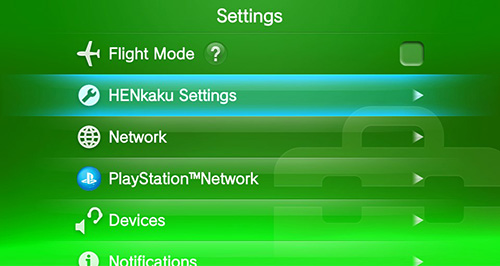
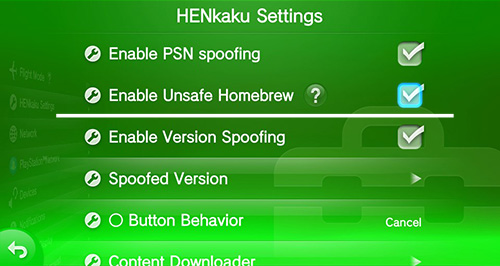
-Open Henkaku settings and enable Version Spoofing and set 'Spoofed Version' = 3.74

-Setup your network with Henkaku DNS settings

Sync Legit Trophies? -YES

Online Multiplayer? - YES

PSStore Access for Purchase and Download? - YES

Use Vitacheat and TropHAX online? - At your own risk

Prevent your Vita from Updating:

NOTE: PSVita firmware updates are not a typical modern-day concern, since downgrading firmware is available and simple to execute. Known exploits continue to work on most recent firmware (3.74). Preventing update is still a good practice in general.

-To disable the download of automatic firmware updates: Settings --> System --> Auto-Start Settings --> Uncheck "Download automatic update files"

-Setup your network with Henkaku DNS settings for an additional layer of update prevention. See here.

-If your console has downloaded the 3.73 update file, simply deleting the notification in LiveArea should remove the file from your system. Otherwise, firmware update files can be found in ud0:PSP2UPDATE/*

-Remember, unless you are running your vita in Demo mode, your console will not spontaneously install/update firmware software. There are legal reasons for this. Installation of any new software on your device requires your consent, (EULA).

Essential Vita Plugins/Homebrew Applications:

0syscall6 lv0 secure_kernel syscall6 patch - can replace reF00d (SKGleba)

Adrenaline Software that converts the official Vita PSP emulator into a PSP 6.61 with custom firmware (The FloW)

DolcePolce PSTV blacklist hack, replacing Antiblacklist and Whitelist (Silica)

Download Enabler Allows the user to download any content from the vita web browser (The FloW)

ElevenMPV-A Vita music player that supports a wide variety of formats (GrapheneCt)

iTLS-Enso Adds TLS v1.2 to devices running Enso (SKGleba)

Modoru Vita firmware downgrader (The FloW)

Modoru 2.1 Vita firmware downgrader, required for 3.71/3.72/3.73 users (SKGleba)

PSVShell Overclock application that supports per-app profiles; highly recommended (Electry)

reF00D Allows user to bypass firmware requirements on games and system applications (dots-tb)

rePatch Serves as a replacement for ux0:patch; can be used to load decrypted content on 3.60+; required for use of "compatibility packs" (dots-tb)

Save Manager For dumping and restoring decrypted save files (d3m3vilurr)

Shellbat A simple plugin that displays the battery percentage in LiveArea (nowrep)

Simple Account Switcher Allows the user to change/delete PSN accounts without a system restore (Silica)

Storage Manager A Kernel plugin that automatically mounts/redirects any storage device to any mount point; Popular plugin for mounting sd2vita (CelesteBlue)

VitaDeploy Tool that makes homebrewing the Vita/PSTV easier (SKGleba)

VitaGrafix Allows user to change resolution and FPS caps on vita games (Electry)

vita-udcd-uvc Stream your vita to a computer using USB (xerpi)

YAMT sd2vita/Remount tool for vita running Enso

Vitahacks AutoModerator

Note on AutoModerator: AutoModerator seeks keywords in comments/questions that may indicate piracy, but is not always proficient. In order to keep it under control, we have been monitoring the Automod for faulty dismissal of posts/comments. If you believe Automod has made an error in deleting your question/comment, please contact the moderator team, and we will review the question/comment and validate it (when possible).

2:00 am Greenwich Mean Time (GMT) every 2 weeks is the current new schedule.


r/vitahacks • • Sep 17 '26

Discussion Bi-Weekly Questions Thread (new edition)

14 Upvotes

Welcome to the r/vitahacks Bi-Weekly Question thread!

Please post all questions here.

!!NEW!! 3.65-3.74 USERS: Use HENlo to install Henkaku WITHOUT PC/Content Manager/PSN account!!!

PSN ACCESS/LOGIN ON VITA MAY REQUIRE ADDITIONAL VERIFICATION, SEE HERE

Before you post a question, please note:

-Please refer to the Official Vita Troubleshooting Guide; this is a comprehensive guide (maintained by Cimmerian_Iter) that covers a wide range of common issues and how to resolve them

-The vita hacking guide covers everything from 'what is homebrew' to hacking the vita and installing essential plugins

-For a comprehensive database of all available vita homebrew, please refer to VitaDB. You can access it and install homebrews directly from your Playstation Vita using the official VitaDB Downloader app.

-The older app VHBB made by u/devnoname120 is not currently supported.

-Rule #1 - "No discussion of piracy/backup/warez/dumps" is strictly enforced; there are other resources to discuss this subject matter

3.65-3.74 Users:

-HENlo replaces Hencore2

-Use Vitadeploy to downgrade firmware/install ENSO

Firmware Guide:

Vita Firmware VersionAvailable Hack(s)1.03-3.57Update to *3.60 or 3.653.60*3.60 Henkaku/Enso3.61-3.63Update to 3.653.65*3.65 H-encore/Enso3.65-3.74Install Henkaku/Vitadeploy using HENlo (via Vita Browser)

*Recommended

3.74 Firmware notes:

-Change requiring 2-step verification for PSN login/access

3.73 Firmware notes:

-Very minor changes. See here (Credits to PSSDude for the report)

3.72 Firmware notes:

-3.72 firmware was released by Sony for...System stability?

3.71 Firmware notes:

-3.71 firmware was released by Sony to patch the Trinity exploit

-3.71 firmware also breaks Modoru by adding checks in lv0

3.70 Firmware notes:

-The Vita master key was changed in the 3.70 firmware release, shortly after it had been publicly "unveiled" by the vita hacking community

-Game decryption keys have not been changed with the 3.70 release (reF00D/compatibility packs have not been broken)

3.69 Firmware notes:

-3.69 firmware was released by Sony to patch the h-encore exploit

PSN Access for 3.60-3.73 Users:

-Open Henkaku settings and enable Version Spoofing and set 'Spoofed Version' = 3.74

-Setup your network with Henkaku DNS settings

Sync Legit Trophies? -YES

Online Multiplayer? - YES

PSStore Access for Purchase and Download? - YES

Use Vitacheat and TropHAX online? - At your own risk

Prevent your Vita from Updating:

NOTE: PSVita firmware updates are not a typical modern-day concern, since downgrading firmware is available and simple to execute. Known exploits continue to work on most recent firmware (3.74). Preventing update is still a good practice in general.

-To disable the download of automatic firmware updates: Settings --> System --> Auto-Start Settings --> Uncheck "Download automatic update files"

-Setup your network with Henkaku DNS settings for an additional layer of update prevention. See here.

-If your console has downloaded the 3.73 update file, simply deleting the notification in LiveArea should remove the file from your system. Otherwise, firmware update files can be found in ud0:PSP2UPDATE/*

-Remember, unless you are running your vita in Demo mode, your console will not spontaneously install/update firmware software. There are legal reasons for this. Installation of any new software on your device requires your consent, (EULA).

Essential Vita Plugins/Homebrew Applications:

0syscall6 lv0 secure_kernel syscall6 patch - can replace reF00d (SKGleba)

Adrenaline Software that converts the official Vita PSP emulator into a PSP 6.61 with custom firmware (The FloW)

DolcePolce PSTV blacklist hack, replacing Antiblacklist and Whitelist (Silica)

Download Enabler Allows the user to download any content from the vita web browser (The FloW)

ElevenMPV-A Vita music player that supports a wide variety of formats (GrapheneCt)

iTLS-Enso Adds TLS v1.2 to devices running Enso (SKGleba)

Modoru Vita firmware downgrader (The FloW)

Modoru 2.1 Vita firmware downgrader, required for 3.71/3.72/3.73 users (SKGleba)

PSVShell Overclock application that supports per-app profiles; highly recommended (Electry)

reF00D Allows user to bypass firmware requirements on games and system applications (dots-tb)

rePatch Serves as a replacement for ux0:patch; can be used to load decrypted content on 3.60+; required for use of "compatibility packs" (dots-tb)

Save Manager For dumping and restoring decrypted save files (d3m3vilurr)

Shellbat A simple plugin that displays the battery percentage in LiveArea (nowrep)

Simple Account Switcher Allows the user to change/delete PSN accounts without a system restore (Silica)

Storage Manager A Kernel plugin that automatically mounts/redirects any storage device to any mount point; Popular plugin for mounting sd2vita (CelesteBlue)

VitaDeploy Tool that makes homebrewing the Vita/PSTV easier (SKGleba)

VitaGrafix Allows user to change resolution and FPS caps on vita games (Electry)

vita-udcd-uvc Stream your vita to a computer using USB (xerpi)

YAMT sd2vita/Remount tool for vita running Enso

Vitahacks AutoModerator

Note on AutoModerator: AutoModerator seeks keywords in comments/questions that may indicate piracy, but is not always proficient. In order to keep it under control, we have been monitoring the Automod for faulty dismissal of posts/comments. If you believe Automod has made an error in deleting your question/comment, please contact the moderator team, and we will review the question/comment and validate it (when possible).

2:00 am Greenwich Mean Time (GMT) every 2 weeks is the current new schedule.


r/vitahacks • • 4h ago

Port Android 6.0.1 :D

Post image
72 Upvotes

I'm still working on this. just how far the past 6 hours of work has gotten me to. Given it's almost 8am here, I'll work on this more when I wake up :)

I'd like to release a few videos soon-ish, but all of the ones I've taken are NOT professional T-T

EDIT: videooo: https://youtu.be/9x5fAFylybk


r/vitahacks • • 1h ago

AI assisted Save states, achievements and a custom launcher for PSP games on Vita (ARK-5 inside Adrenaline 8)

Thumbnail
gallery
12 Upvotes

I've been making a launcher and a set of plugins for PSP on ARK-5 (also available on my Github), and I now have all of it running on the Vita inside Adrenaline 8. Builds are up on GitHub.

Disclosure: the code was written with Claude (AI) from my ideas and my own testing. I've only tested this on my own Vita, so please read the known issues in the repos before relying on it.

Pick up where you left off

This is the main reason I made Shelf. The Home tab shows the games you're playing, each with a picture of your latest save state or suspend. Pick one and the game goes straight back to that point. This needs the Sidequest plugin set up (both repos are linked below).

Game info and achievements

Each game has an info screen with your achievement progress and latest unlocks. A second page shows a journal of your playthrough and how long you've played.

Boots straight into Shelf

Shelf works as the default launcher, so you start Adrenaline and land right in it. Quitting a game brings you back to Shelf too.

USB, reboot and shutdown

You can connect USB from Shelf's menu without leaving Adrenaline. Reboot and shutdown are in the same menu, and you can switch them between the Vita itself and the PSP side.

Save states without the sleep step

On PSP, Sidequest puts the system to sleep and wakes it when saving or loading a state. On Vita that crashed Adrenaline and kicked you to the lock screen, so I removed it completely. States are a lot faster now as a result.

The plugins

Sidequest does the save states. Checkpoint keeps dated copies of your game saves and writes the journal. Emblem handles achievements, stored locally with nothing going online. Scanline adds CRT-style scanlines. Runtime tracks playtime and battery for Shelf.

Shelf Tools

This is a web page that reads your pspemu folder and shows your playtime, states and achievements. It can also make achievement sets for Emblem. It runs in the browser, nothing to install.

What you need

Adrenaline 8 with the custom firmware set to ARK. It won't work on standalone ARK or on Adrenaline's default mode.

One warning

A Sidequest state freezes the whole system, not just the game. That includes whatever plugins were loaded when you saved it. If you update the plugins or change your setup and then load an older state, you're bringing the old code back with it, and that can cause problems. After updating anything, start the game fresh and save your states again.

Links

Plugins: https://github.com/00KAM1/psvita-ark-plugins

Shelf: https://github.com/00KAM1/psvita-shelf-launcher

Shelf Tools: https://github.com/00KAM1/psp-shelf-tools


r/vitahacks • • 25m ago

Discussion NFS UNDERCOVER

Post image
6 Upvotes

NFS UNDERCOVER ON VITA 🤔


r/vitahacks • • 13h ago

HENkaku Black Ops 1 Zombies Port 1.0 Release

Thumbnail
youtube.com
51 Upvotes

Get VPK Here: https://github.com/Voyd282/bo1-zombies-vita

you need to own BO1 and convert your files yourself (or you ask for some game backup).

Hello i finally release my first version of the BO1 Port. It improved alot since the demo and Kino runs at a whoppin 40-60 ish. expect drops when shooting alot of zombies even the ps3 version was not able to handle much. But im sure you will enjoy.

Video is recorded on a Vita.

Ive also added a few performance settings like render distance and combined that with a fog so it doesnt look too ugly.

Maps

- All zombies maps instead of only Kino: "Five", plus Ascension, Call of the Dead, Shangri-La and Moon if you own the DLC.

- The World at War maps: Nacht der Untoten, Verrückt, Shi No Numa and Der Riese.

- Mods and custom maps from your PC's mods folder, shrunk to fit the Vita where needed.

- Modifiers that work with any map: Horde, No Perks, Sandbox and Zinfo.

Menus and lobby

- A new main menu and lobby to pick the map, mod and modifiers, with map pictures and your Vita account name.

Controls

- Gyro aiming, front and rear touch options, and different button layouts.

- PS Vita button icons in all prompts and on the HUD.

- Console-style aim assist.

Graphics and settings

- Optional HD MODE (experimental): lamps, spotlights and sun lighting, lit models and shadows, as on the PC.

- Settings spread over five pages, including weapon shine, color filters, render distance and field of view.

- Many speed-ups and fixes since 0.1.


r/vitahacks • • 20h ago

AI assisted Silent Hill: Origins native port for PS Vita, two weeks later: 60 FPS, my own renderer, PS2 Travis, and you can build it yourself now (Beta 1)

142 Upvotes

Two weeks ago I posted about my native Vita port of Silent Hill: Origins. Back then fights ran at 35–40 FPS and there was nothing to download. Now there is.

First part: the same street fight, my phone footage from the first post on the left, the current build on the right. Second part: the nurse cutscene and fight with the PSP model of Travis on the left and the PS2 one on the right. The current build is captured over USB, so the colors look different from the phone footage.

I spent these two weeks mostly on optimization, not on new features.

What changed

  • 60 FPS. The game holds 60 almost all the time, with dips. Intro Road used to be about 40, now it's 60 with the flashlight on. Regular fights too.
  • The renderer is mine now. Last time part of the picture still went through translated PSP GPU commands, and my renderer only ran on PC. Now all of it goes through my own RenderWare driver: world, characters, fog, particles, flashlight and lamp shadows, mirrors, inventory, map. It talks to GXM directly, with my own shaders. There is no vitaGL or any other layer in between.
  • 4x MSAA, always on.
  • Travis from the PS2 version: model, textures, animations with moving fingers, face. I added him mostly as a test, to see how hard it is and how much it costs in FPS. Optional, taken from your own PS2 copy. Only Travis for now, the other characters and the monsters are still the PSP ones.
  • FMVs play straight from your disc image, decoded on the Vita. Nothing is pre-converted.
  • Saves go through the Vita's own save dialog, with a screenshot as the thumbnail.
  • The hitches when you enter a new area or an enemy spawns, and the memory crashes, are fixed. The automated tour walked through every location without a single crash.

How to get it

I'm sharing it on my Discord, with a full step-by-step build guide: https://discord.gg/rxgPRBHfb

There isn't a single Konami file in the download. You get a builder for Windows: pick your own disc image, press Build, and it makes the .vpk on your PC. It takes about 5 minutes on mine.

  • PSP: USA, ULUS10285, a clean .iso (no .cso, no translation patches). Required.
  • PS2: Europe, SLES-55147, .iso. Optional, only for the PS2 Travis. No other version works.

The .exe isn't signed, so SmartScreen will complain (More info → Run anyway). If you don't trust it, upload it to VirusTotal yourself before you run it. My scan came back 1/70, and the one is Bkav.

This is Beta 1, and so far I'm the only one who has tested it. If something breaks, send me boot.log, boot.1.log and boot.2.log from ux0:data/sho_native/. If the game crashed, also the newest .psp2dmp from ux0:data/. The logs contain the game and firmware version, where you were, the frame rate and the errors. Nothing about you, and nothing is sent automatically.

What still sucks

  • The burning shrine in the Gillespie house sits around 46 FPS, and Momma's spell can drop her fight below 30. I know why, and for now I decided to leave both as they are, see below.
  • Night vision goggles lower the FPS.
  • Rare micro-freezes.
  • The truck cutscene at the start has a small FPS drop.
  • Travis sometimes loses the recoil animation after switching weapons or reloading.
  • Not fully native yet: part of the game logic still runs as recompiled code.

Why the Gillespie house and Momma still drop

Transparency. The fire in the shrine is about 150 transparent draws, around 6.6 full screens of blending every frame. Momma's spell is smoke that peaks at 17 screens' worth in a single frame. These effects were built for hardware where blending is cheap.

The Vita is many times more powerful than the PSP, but not here. Its GPU is tile-based: solid surfaces that end up hidden are thrown away before they get shaded, so a hidden solid full-screen layer costs about 0.12 ms. Transparent layers can't be thrown away, every one of them has to be blended, and that's about 0.7 ms per full-screen layer. That works out to roughly 800 million blended pixels per second, against 664 million in the PSP's specs. Barely faster, and I draw four times as many pixels: 960×544 instead of 480×272.

I did try. The smoke is already drawn at 240×136, a quarter of the resolution on each side, and it's still not enough. For the fire I tried trimming the empty parts of the textures (nothing), merging layers (slower) and drawing it without MSAA (about 0.5 ms). The only way left is to change how these effects look and build them differently, and I decided not to do that for now.

What's next

  • PS2 models for the other characters and monsters
  • Free camera on the right stick (optional)
  • Touchscreen puzzles (optional, the original controls stay)
  • A toggle for the noise filter
  • More game logic rewritten as native code
  • More game optimisations

Closed source for now. Once the full version is done, it goes public under MIT.

As before, all the code is written by Claude Opus 5.5 and ChatGPT Sol 6.1. I direct it, test on the console, profile and decide what goes in. If you find a bug, tell me exactly where and how, and I'll be happy.

Silent Hill is © Konami. This is a fan project, not affiliated with Konami or Climax.

Ask me anything.


r/vitahacks • • 15h ago

Port Persona 3 FES on PS Vita — second public beta (v0.1.0-beta.2)

40 Upvotes

A static recompilation of the PS2 game running natively on the Vita. This is an **early beta**: expect crashes, missing effects and slow scenes.

**What works**

- The game boots, loads and saves, in 16:9 widescreen

- Music, sound effects, voices and movies

- Targets 30 fps on real hardware; some scenes still drop below

- Dialogue History

- Fast Forward

- Direct control of party members during battles.

**What you need**

- A PS Vita with HENkaku/Ensō and taiHEN

- About 6 GB free on `ux0:`

- Your own Persona 3 FES disc image, USA release (SLUS-21621). No game data is included.

**How to install**

  1. Install the VPK with VitaShell: https://github.com/frangarcj/p3fes-recompiled/releases/tag/v0.1.0-beta.2
  2. Open the data tool, pick your ISO and download the zip. It runs in your browser, nothing is uploaded: https://frangarcj.github.io/p3fes-recompiled/
  3. Extract the zip at the root of `ux0:` and launch the game.

**Found a bug?** Send `ux0:data/p3fes/runtime.log` (copy it before relaunching), what you were doing, and your Vita model and firmware.

Unofficial fan project, not affiliated with ATLUS or SEGA. Built on PS2Recomp and ppkkkkk's p3fes-recompiled.


r/vitahacks • • 8h ago

Moonlight / Streaming [Release] VitaPlus v0.0.5-2 — PlayStation Cloud Streaming on PS Vita | Redesigned Game Library

7 Upvotes

Hey everyone!

VitaPlus v0.0.5-2 is officially out! This update brings a completely redesigned black-and-gold interface, making the game library more modern, intuitive, and visually appealing.

What's new:

  • Redesigned game library with downloaded cover art.
  • Automatic cover downloads and persistent cache.
  • Game search using the native PS Vita keyboard.
  • Individual PS3, PS4, and PS5 filters.
  • Large cover previews and game information.
  • Real-time battery, clock, and network indicators.
  • Improved audio and video buffering.
  • Input latency optimizations.
  • Performance monitoring HUD.
  • QR code login and encrypted account storage.
  • Support for 19 language variants.

Regarding PS5 support:

PS5 cloud streaming is not available yet. Support remains under development, and I hope to make it available in a future update.

The project is no longer classified as beta. PS5 support remains experimental.

All automated tests and compilation checks have passed. Feedback from real PS Vita hardware is greatly appreciated!

Download and source code:
https://github.com/joaopedr00000/plus-vita

Latest release:
https://github.com/joaopedr00000/plus-vita/releases/tag/v0.0.5-2

Special thanks to the original Plus-Vita, Pylux, and Chiaki developers for making this project possible.

Feel free to share your feedback, suggestions, and bug reports. More improvements are coming!


r/vitahacks • • 1d ago

AI Vibecoded Katana Zero Vita Port

157 Upvotes

https://github.com/xob0t/katana-zero-vita

targets 60fps. big rooms and smoke do dip. when fps drops, game slows down.
based on android version, which has nerfed enemy reaction times. port has them adjusted to pc timings by default, with option in game menu to enable android timings.


r/vitahacks • • 17h ago

Release YouTubeOnVita v0.0.1 — Free users might really enjoy this one 👀

30 Upvotes

Oi pessoal!

Acabei de lançar a v0.0.1 do meu fork do YouTubeOnVita!

Isso traz a verdadeira experiência do YouTube TV para o PS Vita, com várias melhorias e alguns extras interessantes.

Recursos:

  • Reprodução do YouTube até 720p/60 FPS
  • YouTube Shorts com modo vertical
  • Controles nativos do PS Vita e suporte a tela sensível ao toque
  • Downloads de vídeos MP4 e áudios MP3
  • Gerenciamento de memória melhorado e estabilidade na reprodução
  • Versões Completa e Lite
  • Algumas melhorias que usuários gratuitos podem apreciar bastante... 👀

Só vou dizer que assistir YouTube em um PS Vita pode parecer um pouco mais confortável agora. 😏

A versão mais recente parece estável nos meus testes, embora testes a longo prazo sejam sempre bem-vindos.

Baixar v0.0.1:
Latest Version

É completamente gratuito e de código aberto.

Me avise como funciona no seu Vita! Feedback e relatórios de bugs são sempre bem-vindos.

Créditos ao Wolff's Room pelo projeto original YouTubeOnVita.


r/vitahacks • • 1h ago

AI Vibecoded Cosmos Cosmic Adventure (Enhanced) for Vita v0.5.1

Post image
0 Upvotes

I’ve released a new Vita build of Enhanced Cosmo, a homebrew port of Cosmo’s Cosmic Adventure. It includes Episode 1: Forbidden Planet with the shareware game data, so you can install the VPK through VitaShell and play.

What’s new in v0.5.1:

  • Faster loading from the episode picker into the game.
  • Background MP3 decoding and a four-voice sound mixer, so overlapping effects can play together.
  • The Vita’s on-screen keyboard for high-score names.

I tested this on a physical Vita running 3.65 with HENkaku Ensō.

Download the VPK https://github.com/GITitdoneboi/enhanced-cosmo


r/vitahacks • • 21h ago

Release [UPDATE] Silent Hill 2 PSVita ver. 0.3.0 is out!

35 Upvotes

Hi everyone,
lately I've been working on one of my two passion projects, the SH2 Vita port, and I've released quite a bit of updates. The latest one, version 0.3.0, just released some minutes ago, and contains a huge amount of fixes related to rendering, sound and models not showing up.

You can find the download-able vpk and the full patch notes here: https://github.com/AngeloGalav/sh2-vita/releases/tag/v0.3.0

IMPORTANT: you need to rebuild the packer and convert your game data again for this one, otherwise you won't get all of the fixes. Copy the new data over the old folder and don't delete it, your saves are in there!

Even though the project is in a much better state than the first 0.1.0-alpha1 pre-release, I still consider this a WIP. So, if you want to contribute to helping the project move forward, you can:
- follow me on GitHub and/or star the repository
- play the game, see if you find any bugs, and report them on the issues page.

Thanks to everyone who has reported bugs so far!

Cheers!


r/vitahacks • • 1d ago

Discussion Garak is a Wizard, and Azahar his magic

Post image
227 Upvotes

I never expected, not even in my wildest dreams, to be able to play Pokémon Ultra Sun on PS Vita.


r/vitahacks • • 1d ago

AI assisted [Update] Poke Survivors Vita v0.9.2 (Touch controls, Easy/Nuzlocke modes, Limit Break)

59 Upvotes

Installing the new VPK over v0.9.1 keeps your existing save and data folder.

What changed in v0.9.2:

  • Full touch controls: Tap and drag through menus and lists, plus an on-screen virtual stick and dash button during runs.
  • Easy Mode: Start with 3 random passives and 1 free revive, gain EXP faster, face weaker enemies, and fight bosses every 1:30.
  • Nuzlocke Mode: Healing capped at 2 HP/s (3 HP/s with healing passives), stronger/faster enemies, earlier boss enrage, double coins, and extra tickets.
  • Limit Break & Auto-Pick: Beat Arceus to unlock leveling moves past max. Added a pause menu toggle to auto-pick upgrades once your skills and passives are maxed.
  • Loadouts & Pokedex Search: Save up to 3 skill loadouts per Pokemon and search the Pokedex by name or number using an on-screen keyboard.
  • PC build controls: Automatic XInput controller support, keyboard button icons, and ESC to pause.
  • Combat & Boss overhaul: Bosses enrage and drop meteors if a fight drags on, healing moves share a per-second cap, close-range hits deal bonus damage, and distant EXP gems warp near you or expire.
  • Performance & fixes: Reduced late-game stuttering (especially Max Leech Seed), fixed an Arceus soft-lock in Standard Mode, fixed 16 Pokemon sprites, and cleaned up UI spacing.

Download: https://github.com/Eurycake/poke-survivors-vita/releases/tag/v0.9.2

Let me know how the new difficulty feels (late-game scaling, Boss Enrage, Easy, and Nuzlocke) so I can keep tuning the balance.


r/vitahacks • • 1d ago

AI assisted Vita CPU Tweaks v2.0.0 for PS Vita

Thumbnail
ko-fi.com
60 Upvotes

r/vitahacks • • 1d ago

AI Vibecoded Gateway to the Savage Frontier

Thumbnail
gallery
13 Upvotes

I wanted to play SSI's Gold Box Advanced Dungeons & Dragons series on my PS Vita, so started by converting Gateway to the Savage Frontier.

https://github.com/beaufortribbons/goldbox-vita/blob/main/README.md

I've used the 4:3 sidebars to add new buttons representing the most commonly used keys (although I may change that as I play it more). And have tried to map the Vita buttons as intuitively as I could.

If you want to, journal entries appear as cutouts when the game quotes them. Instructions to do this are on the page.

I only tested it with the GOG version and on a Mac. There are instructions for PC - there may be a difference in cutting up the journal entries so they'll display for you.

No grand promises that I'll convert the rest straight away, but that's the plan. The ultimate goal is to be able to play community-made FRUA adventures with their own standalone bubbles.

The port was completely vibe-coded.


r/vitahacks • • 1d ago

Discussion Azahar 3DS is straight up witchcraft and Garak should be burned at a stake

132 Upvotes

Obviously a joke, at least one of those statements are, but for real, this shit just works, and of course not perfectly stable yet, BUT THIS IS BETA 1

base config I can run Kid Icarus Uprising with 1.25x res at a stable 30, no shader compiling, no stutter, nothing and no 500mhz overclock

I can run Hyrule Warriors Legends on N3DS mode at a fluctuating 26-28 fps (with heavy stutters), of course with heavy configs, no limit frameskip, no vsync, 500mhz, 3ds clock at 40%. But it works, I just did a full stage no problem, and I'm gonna attempt at lower clocks to see if I can reach as close to 30fps as I can throughout today.

This shit is just scary, Pandora's Box was opened, and while the future is bleak as fuck, I want to innocently enjoy this golden age we're getting, u/Grarakk, please keep working on this, someone said that Xenoblade Chronicles is stable and that's straight up madness, please keep working on it and please have a more hands on approach for ironing out anything and everything, and if possible please do give DSVita a new update, the emulator is very close to perfect, but you won't convince me that I can play Kid Icarus Uprising but not Solatorobo


r/vitahacks • • 1d ago

AI Vibecoded Syncthing for Vita v0.2.0 available!

Post image
41 Upvotes

Still a beta but a lot of improvements.

Let's manage your ROMs from PC and make your Vita games and emulators cross-save!

Go check Syncthing home if you want to know more and setup peer-to-peer sync between your devices!

What's new in v0.2.0

  • The Vita is now reachable inbound, so you can directly sync 2 vitas.
  • Send Only shares alongside Receive Only, with Override Changes
  • The Vita game saves preset (ux0:user/00/savedata) is back.
  • Touch-drag scrolling of the share list and of the log viewer.
  • Faster, more reliable off-LAN sync: Global Discovery starts at launch, LAN addresses win Internet link.

More under the hood improvements:

  • Protocol fixes and features in syncthing-core: no more disconnects from real Syncthing servers, LZ4 compression, .stignore, rolling weak-hash block reuse, secondary 1+2 connections, extended metadata / Unix symlinks / introducer devices, .stversions versioning, Receive Encrypted folders.
  • Security and quality: all cargo audit vulnerabilities fixed, TLS 1.2 ChaCha20 hardened, and CI now covers E2E sync over LAN and the Internet, including inbound scenarios.

Grab the vpk on github for now.
It will soon be available on VitaDB :)


r/vitahacks • • 1d ago

AI Vibecoded Need for Speed Carbon (PC) on the PS Vita: v0.1.8 is out, with crash fixes and ~28 fps in free roam

25 Upvotes

I've been working on a port of Need for Speed Carbon (the 2006 PC version) to the PS Vita, and v0.1.8 is out now.

Download: https://github.com/Swisha33/NFSCVita/releases/tag/v0.1.8

What it is: this isn't an emulator or a rewrite. The game's own NFSC.exe is statically recompiled to native ARM code. Windows, Direct3D 9, DirectSound and DirectInput are replaced with Vita equivalents. The physics, AI, career and saves are all the game's own code.

What's new in v0.1.8:

• Fixed crashes you reported on GitHub:

◦ a crash on the loading screen after career events, such as the first speed-camera event

◦ a crash after 30–40 minutes of play

◦ a black screen after beating Kenji

◦ most likely several crashes in the car selector and before races as well

• About 18 % faster than v0.1.7: free roam at 500 MHz is around 27.8 fps (it was ~23.4).

• Fewer short freezes during races.

What works: the career (with the territory map, rear touch as the mouse pointer), races, free roam, police chases, cutscenes, and an on-screen keyboard that opens by itself for names.

What you need:

• Your own copy of NFS Carbon for PC, v1.4. No game files are included; the exact NFSC.exe it needs is listed in the README.

• A hacked Vita (HENkaku/Ensō) with VitaShell, and about 5.5 GB free.

• Strongly recommended:

◦ PSVshell, set to 500 MHz

◦ CapUnlocker, which lets the port use the Vita's fourth CPU core

Setup instructions are in the README on GitHub.

Honest notes: it's still an early pre-release, so expect bugs and save often. The port was largely "vibe-coded": an AI coding assistant (Claude Code) wrote most of it, and I direct it and test everything on a real Vita.

Thanks to everyone who sent crash reports with logs; they made this release possible. Special thanks to u/Either-Version-9577 for the icon and LiveArea art.

If something crashes, please open an issue on GitHub and attach ux0:data/NFSCVITA/nfscvita.log.

Unofficial, non-commercial fan project, not affiliated with EA.


r/vitahacks • • 2d ago Heartwarming

Release VitaSim v0.15.79 - big UI update: a new touch-first interface for The Sims on PS Vita

Thumbnail
gallery
199 Upvotes

VitaSim v0.15.79 - big UI update: a new touch-first interface for The Sims on PS Vita

VitaSim plays The Sims Legacy Collection on the PS Vita. This release is the biggest interface update so far: a new VitaSim UI built for the Vita's screen, touch panel and buttons. The original interface is still there, and you can switch between the two at any time.

What's new

- New loading screens - a fresh look from the first second, in widescreen.

- Two interfaces, one tap apart - pick Original or VitaSim UI on the first start (with a preview of both), and switch whenever you like in Settings. Nothing is lost when you switch.

- Your Sims' status at a glance - large buttons along the screen edges open Needs, Friends, Job, Traits, Items and Home directly. No digging through small menus.

- Focus on the game - one eye button hides the whole interface so you can just watch your Sims. Tap it again to bring it back.

- Panels as windows - turn any status panel into a window, keep the ones you need on screen and move them wherever you want. Windows snap neatly to each other.

- Direct touch or trackpad, your choice - switch between touching the screen directly and using it as a trackpad with one toggle right in the game.

- Faster Buy and Build - find what you need and place it quickly:

-> categories with sub-categories, favourites, recently used items and a filter for your custom content

-> sorting, grid or list view, smooth inertial scrolling

-> hold an item to see its details before you buy

-> Eyedropper: pick up any object, wall or floor already on the lot to place another one just like it

-> Place again: keep placing the same item without going back to the catalogue

-> sell objects in Build mode too

- Also in this release - a redesigned Settings screen that works with touch, mouse and D-pad; in-game messages and the update window in the new style; the neighbourhood now runs at 60 fps; sounds far from what you're looking at get quieter, columns hold up upper floors and roofs, and TV channels play their commercials, as in the original.

VitaSim Settings

Download

- Release: https://github.com/Reyanon/VitaSim/releases

- Already installed? The app offers the update by itself the next time you start it.

Notes

- No game files are included. You need The Sims Legacy Collection (bought on Steam or the Epic Games Store): copy the files of your own installation to `ux0:data/vitasim/` – the README lists the folders.

- Requires libshacccg.suprx

- Work in progress - bug reports (what you did, which lot, a screenshot) are welcome on GitHub.

- VitaSim is a unofficial project, not affiliated with or endorsed by Electronic Arts or Maxis. The Sims is a trademark of Electronic Arts Inc.


r/vitahacks • • 1d ago

Moonlight / Streaming GreenVita Final

Thumbnail
github.com
7 Upvotes

r/vitahacks • • 2d ago

Release ReBOX v0.14.83 - Multiple arcade emulator for PS Vita

Thumbnail
gallery
81 Upvotes

Multiple arcade board emulator for PS Vita: CPS1/2/3, Neo Geo, Sega, Namco, Taito, Cave, PGM and more.

ReBOX is an arcade emulator for the PS Vita. It runs over 4400 sets from 22 makers on about 90 boards. Each board is ported from its MAME driver to C so that it runs at full speed on the Vita.

ReBOX : Multi arcade emulator for PSVita
Ninja Baseball Batman (irem)
Street Fighter III 3rd Strike (CAPCOM)
Bubble Bubble Memories (Taito)
Monster Maulers (Konami)

What's in it

Over 4400 sets on about 90 boards

Capcom CPS1 / CPS2 / CPS3, Neo Geo, Sega System 16 / 24 / 32, X-Board and Y-Board, Namco System 1 / 2, NA and NB, Taito B to Z and F3, Konami, Data East, Irem M52 to M107, Seibu SPI, Cave 68000 and CV1000, IGS PGM and PGM2, Midway T / Wolf / Y units, Toaplan, Psikyo, Jaleco, Kaneko, NMK, Atari, Technos, Tecmo and more. The README lists every board with the share of its MAME sets that is ported

60 fps at 444 MHz, no frame skipping.

Every frame is emulated and drawn. We measured the heaviest games of each board in play on a Vita, 125 in all: 108 hold 60 fps and 11 drop below it only in a few heavy moments. The slower ones are listed in the README

Game list with a tab for each maker, grouped by board, genre, publisher or year, with search, favorites, and snaps and marquees from your own folders. Boards that MAME runs but ReBOX does not yet are shown greyed out

Controls

button mapping with turbo and combo keys, two players, Bluetooth pads through the bundled RePad plugin, touch buttons

Display

4:3, 14:9, full screen or integer scale, rotation for vertical games, smooth or sharp filter, scanlines, borders (black, graphic, color or marquee), menu themes

Save states (10 slots plus quick save), DIP switches, test mode, cheats where the driver has them, per-game settings, 14 menu languages and in-app updates

Download

- Release: https://github.com/Reyanon/ReBOX/releases

- ReBOX_v0.14.83_vita.zip - VPK for PS Vita / PS TV, with the game lists

- Source code: https://github.com/Reyanon/ReBOX

Notes

- ROM images are not included. Non-merged romsets from MAME 0.260 are required (the version we test with), in `ux0:data/rebox/roms/`. Non-merged sets from MAME 0.289 work too. need their BIOS zip in the `Roms` folder.

- No plugin or system file is needed. The app sets 444 MHz by itself.

- Bug reports and compatibility reports are welcome on GitHub Issues.

- Free software under the GPL-3. ReBOX is not affiliated with any of the makers whose boards it emulates.


r/vitahacks • • 2d ago

AI assisted Vita Prefetch Enabler for PS Vita

Thumbnail
ko-fi.com
18 Upvotes